
This month has been a month of vitality and freedom. So many students and teachers from various schools from across the country have shown us their high spirits on the occasion of Independence Day of India. Themed on freedom, this issue talks about the idea of freedom from different points of view. The Students’ Speak section was themed as a photography corner this month, based on the theme of ‘true independence’. Various students have submitted beautiful pieces of photographs to get featured in this section. It is heart-warming to see students, teachers, leaders and schools coming together celebrate true independence through events, webinars, photographs and so on! May the spirit of freedom stay high!

- Email: osborne@juanatech.com
- Nice Name: jtpl1617
- Website:
- Registered On : 2017-07-20 07:53:51
- Logged in as: jtpl1617
Juana Posts
The World we know right now is going through profound changes! Things may never be the same after the pandemic recedes. The Students of this country are the future of the nation and they need to keep up with these changes. Exposure is the key here and the fact that schools are shifting to online mediums makes exposure a tad bit tough. Besides, the expectations of schools and teachers are changing, and industry needs people with new age skills. The gap between teachers and students is plenty and it is only growing in the current situation.
Hence, we conceptualized “CITYSCAPES” – A 9-episode long series, where 2 students from different cities of the country engage in a candid conversation with the Industry leaders. The quest was not only finding the answers to some really crucial questions, but also about spreading the word to every single student in the country. So, the campaign is live on our YouTube channel, tune in! You surely don’t want to miss updates on Cityscapes, do check out our Instagram page, we are regularly posting there.

“Who are these leaders?” – You must be wondering that. We have managed to find the best people in the industry for you!
The recipient of the Global Leadership in Education Award (2016) from the Education Council of India, Fullbright Fellowship ILEP Award (2015), and the Pearson Teaching Award (2013) – Ms. Kashmira Jaiswal, currently the Vice Principal of Navrachna School, Sama, Vadodra, will take you through her journey as a school leader and put forward her views on education in the pandemic situation. Ojaswi Niyogi and Shashwat S Nair – two of the brightest kids will make sure they ask all the right questions.
The co-author of three series of History and Civics textbooks for Classes 3 to 8 published by Oxford University Press, Ms. Amita Prasad, is the director of Indus Valley School, Kolkata. Viraj Singh and Jennissa Gupta will have an interesting conversation with her wherein they will get to know about her inspirational journey and her take on the changing education landscape.
Ms. Nisha Bhaskar, best known for her ‘Best Educationist Award’ in the year 2012 and one of the ‘Asia’s greatest leaders of 2019’ is currently the principal of Navayuga World School, Nellor. She will take us through her journey of being an educationist for the last 2 decades. Brinda Banerjee and Siddhant Singh will definitely make the conversation very engaging and the episode will leave you with lifelong learnings.
We will hear from Mr. Sudhanshu Sharma, Principal, Green Field Senior Secondary School, Kangra, Himachal Pradesh, who aspires to establish his school as a Modern Hub of Technological Education for the 21st century. Paridhi Gupta and Roshni Dhar will engage in a conversation with him and will find out how his students have made it to international institutions like NASA! This episode will certainly fill you with positivity.
The fact that she received appreciation certificate from UNESCO club for her outstanding work in the field of education speaks volumes about Ms. Barninder Paul. She is the director of Gyanmanthan Educational Services Private Limited, Bhatinda, Punjab. Catch her in a conversation with Eka Narayan and Kavya Rastogi, discussing about online classroom learnings and effects of COVID on future of Education. This session will leave you with important insights about how the education in your city will be impacted by COVID.
A leading Edupreneur, an Eminent Writer and an enthusiastic Philanthropist – Mr. Anirudh Gupta, currently the CEO of DCM group of schools, Punjab will join Cityscapes to talk about his leadership journey. Samaira Kashyap and Shaunkhamala Banerjee will engage in an interesting conversation with him about how the current situation shapes the future of education. He has been conferred with prestigious awards like Educational Entrepreneur of the Year -2016 by Indian Education Congress, National Education Excellence Award by Global Leaders Foundation and Most Distinguished Leader of the Year 2018 and Exceptional Educator by American Board. You will be in for a very insightful and resourceful session in this episode.
A young educationist with a marketing bend – Abhishek Goel, is the Owner of Kaysons Group which include Venkateshwara International School, Dwarka, G.D. Goenka Public School, Rohini and Vishal Bharti Public School, Paschim Vihar. Moinak Das and Chaitanya Prasheel will have an engaging conversation with him to discuss his journey as a leader and explore the effect of COVID on the pedagogy and teaching methods. He is known for being awarded as the ‘Power Icon’ by ‘Times on India’ and this session will certainly be a learning avenue for all of us.
The recipient of ‘Principal of the Year – India’ by India Today and NDTV Education award, Ms. Seema Sapru, is currently appointed as the Principal of The Heritage School, Kolkata. Having been in the education industry for the last 30 years, she has a plenty of experiences and learnings to share with Anushka Bansal and Khushi Purohit. Catch her discussing about her leadership journey and the changes that the teaching methods will go through in this pandemic situation.
Technology is the flagbearer of change in the current times and who better to tell us all about it than Mr. Shailendra Jha, the CEO of InFocus Mobile Brand, a Foxconn group company. He has a rich career of 2 decades in the electronics and telecommunication market and he will discuss his leadership experiences with Annika Sarkar and Vandita Rawat.
The Cityscapes experience is something that all the teachers and students will find very relevant and interesting. The entire spectrum of questions and topics that should be addressed in the current times has been discussed!
Do tune in, learn from the experts and share the knowledge around with your friends and family.
The Covid 19 pandemic was totally unforeseen – nobody had a slightest clue about the disruptions it will bring to our daily lives! It is quite conspicuous now that the major part of the academic year 2020-21 must be continued online for all the educational institutions. India was still in its nascent stage of online education and training when the pandemic hit us, and we had to adapt quickly to Online Virtual Classrooms. The EdTech landscape has evolved ever since and Online Virtual Classrooms have picked up pace in 2020! Let’s look closer at what has changed and what it really means for us.

Stating categorically, replicating a classroom digitally through any communication medium is only a fraction of Digital Education. In essence, Digital classroom is the comprehensive ecosystem that involves innovative and user-friendly tools for teaching and learning. It revolves around organizing virtual classes, assessments and examinations, club activities and providing insights and feedback to parents and students. However, the pandemic has forced schools to adopt “emergency remote teaching” model wherein teachers are burdened with digitizing their lectures and circulating them through different mediums. Although, this approach has enabled some kind of communication between students and teachers, it is far from what we can call optimal. These kinds of models result in bored students and exhausted teachers and the Virtual Classroom advantages are reduced to minimal.
What we need is a blended model which incorporates a wide range of activities that can together deliver an effective and interesting learning. Sitting in front of a computer screen for long hours can be taxing for both students and teachers. To add up to the plight, haphazardly planned sessions and classes do not reap the benefits of a structured learning. A proper schedule needs to be in place and the timings of classes shall be fixed and strictly adhered to. Besides, doubt solving in classes if of utmost importance and there shall be provisions for that. One-way communication doesn’t help the cause of learning. Therefore, we need a digital ecosystem which is a one-stop solutions that the teachers and students face.
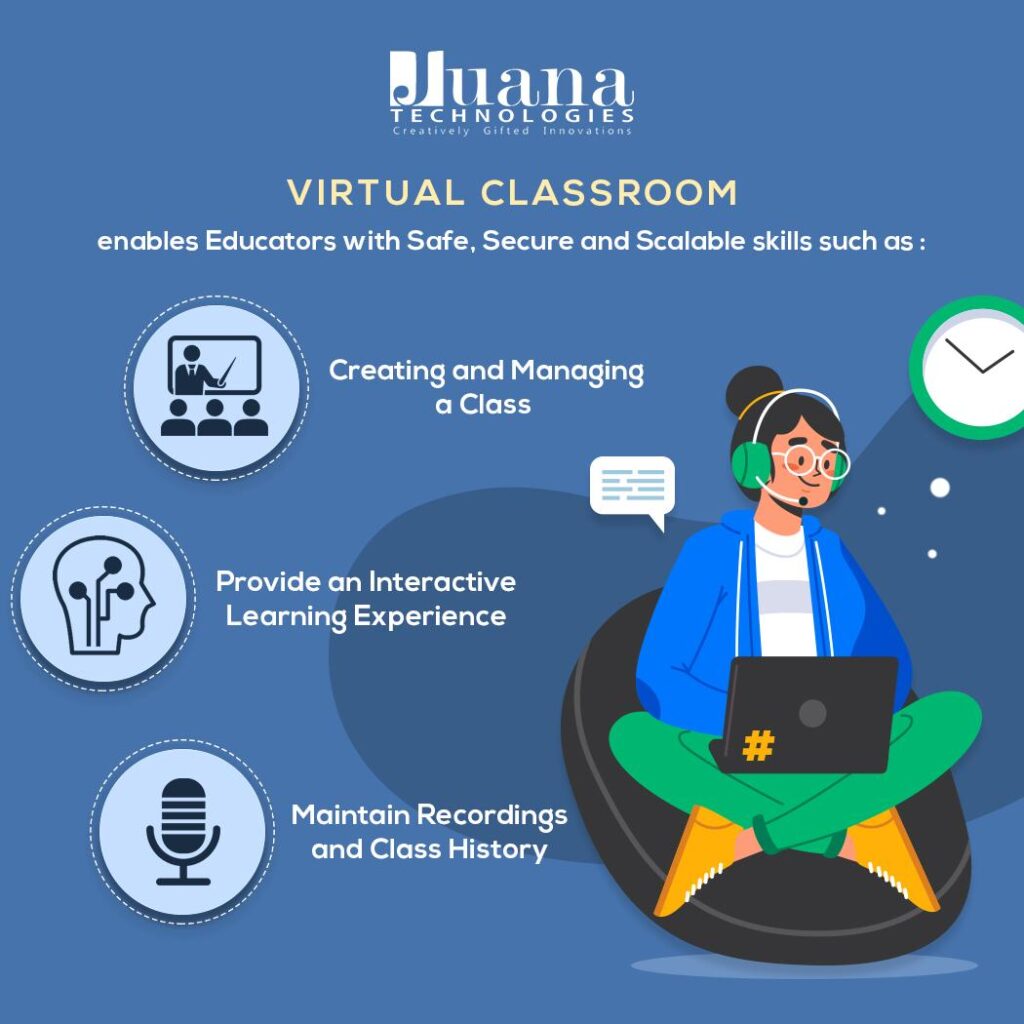
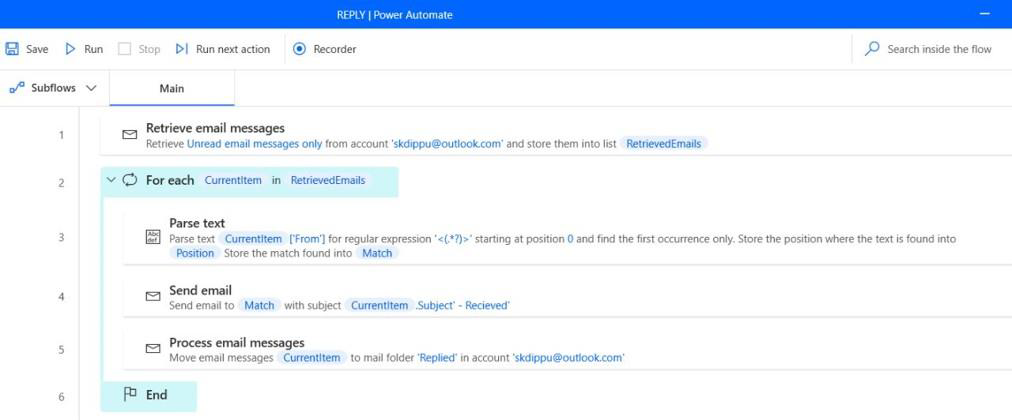
Developed on the trusted platform of Microsoft Teams – Juana Virtual Classroom is just the digital classroom solution you need to emerge victorious, even in these pandemic times. Live classes, recorded sessions, assessments, class discussions, text chat, attendance solutions, pre-scheduled classes, doubt sessions, club activities – Juana Virtual Classroom has all of it and even more!
2020 has brought about fundamental changes in all aspects of our life and Education is no different! While, Online Education and Training has always been a debatable topic in India, educators had to resort to online modes owing to the pandemic situation. Although there are a glut of Online Virtual Classroom Solutions available now, Microsoft Teams always stands out in the list. Let’s dive deeper into everything we need to know about this great collaboration solution for businesses, schools, freelancers and anyone under the sun who needs to work in a professional setting.

Microsoft Teams is a chat-based collaboration platform equipped with multiple utilities like online meetings, document sharing, session recordings, live polls, forms and a lot more. The application is perfect for a school setting where there are many students and teachers located remotely and collaborating in a shared workspace. Teams’ core components make it the best-in class and a winner amongst its competitors. Here’s why:
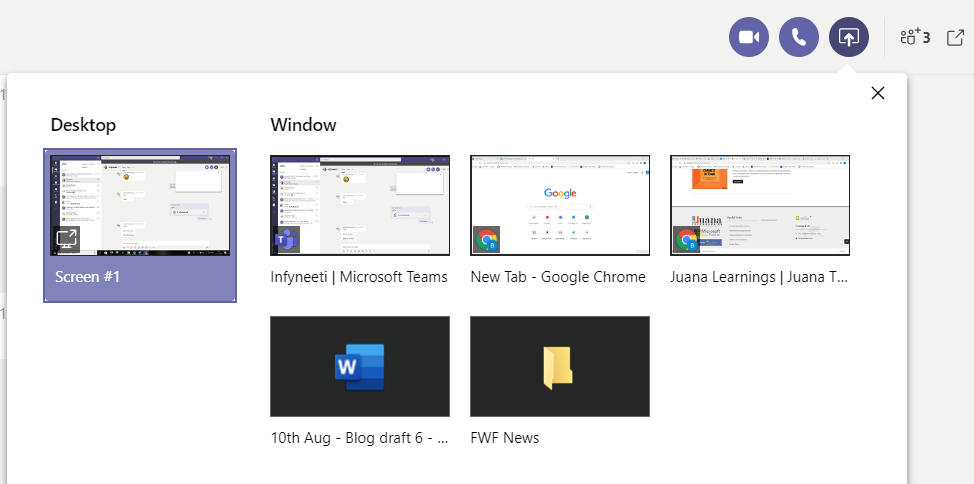
- Online Video and screen sharing: Teams lets the members share their screen while they are on a video call. This is a much-needed feature for teachers when they want to teach from their presentations and notes. Also, students can present their assignments/reports by requesting the teacher to make them a presenter.

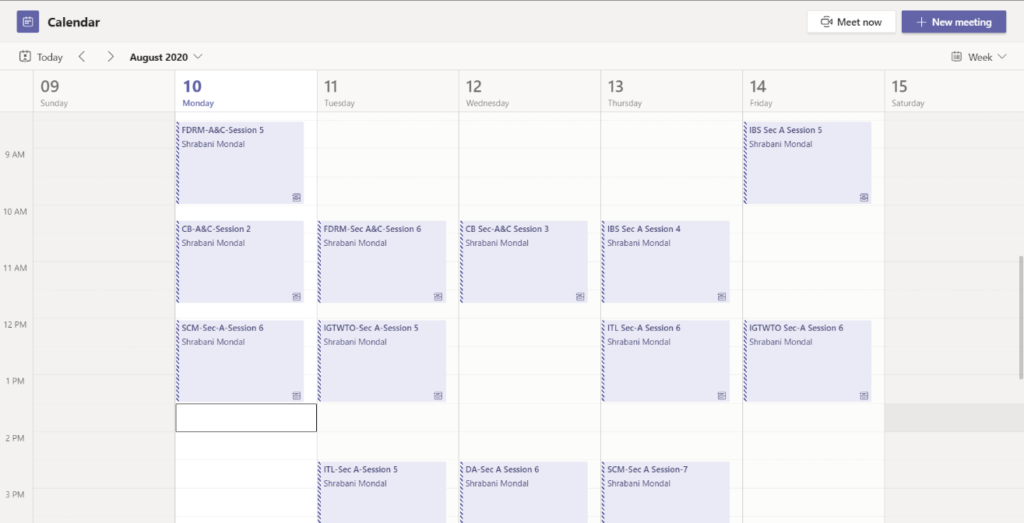
- Calendar: With teams, you don’t have to worry about writing your timetable on the last page of your diary! Your admin can create a team for each subject and schedule a meeting at the time of the class. This will get reflected in your app’s Calendar section and you can join the class by clicking on “Join” that shows up in the Teams Calendar well before the class starts. The meeting reminders will assure that you never miss a class.

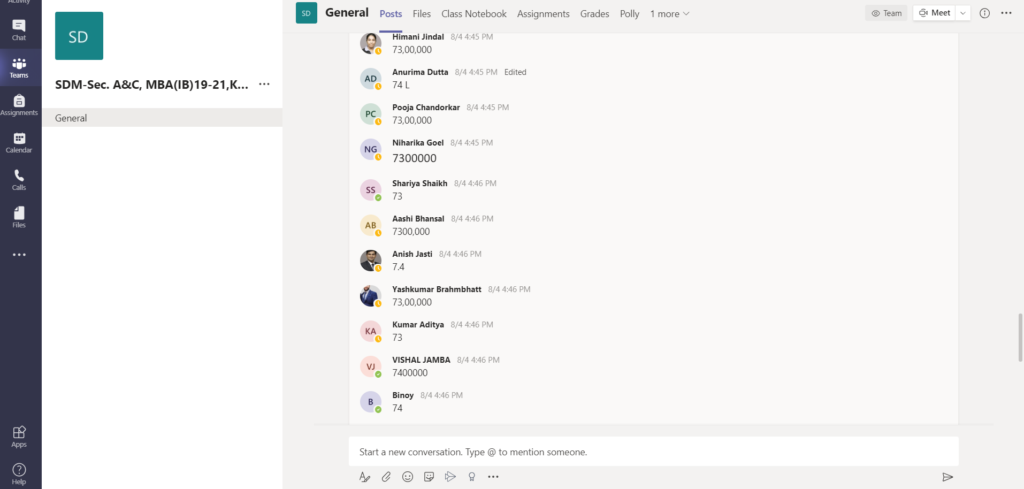
- Chat function: A class is not a learning experience unless it is interactive. While the teachers speak, students must be muted and it can be difficult unmuting every now and then to answer the teacher’s queries. The chat functions come for the rescue – students can type answers instantly in the chat box and or even raise queries through it. This will not cause any disturbance to the class and provide a seamless experience.

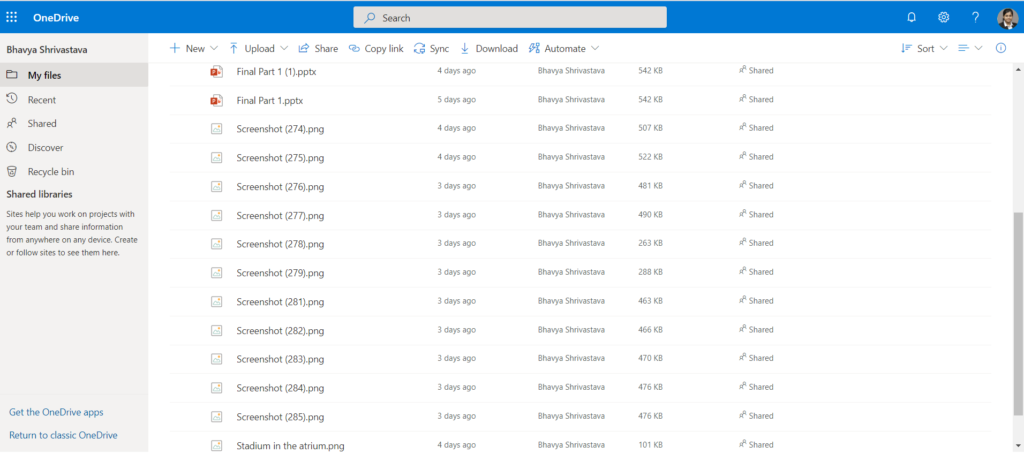
- SharePoint storage: Every team that gets created on Microsoft teams gets a site in SharePoint Online, that contains a default document library. Every file that gets shared in the teams, across all conversations gets stored automatically in this folder. So, you’ll never miss an assignment or a homework through teams!

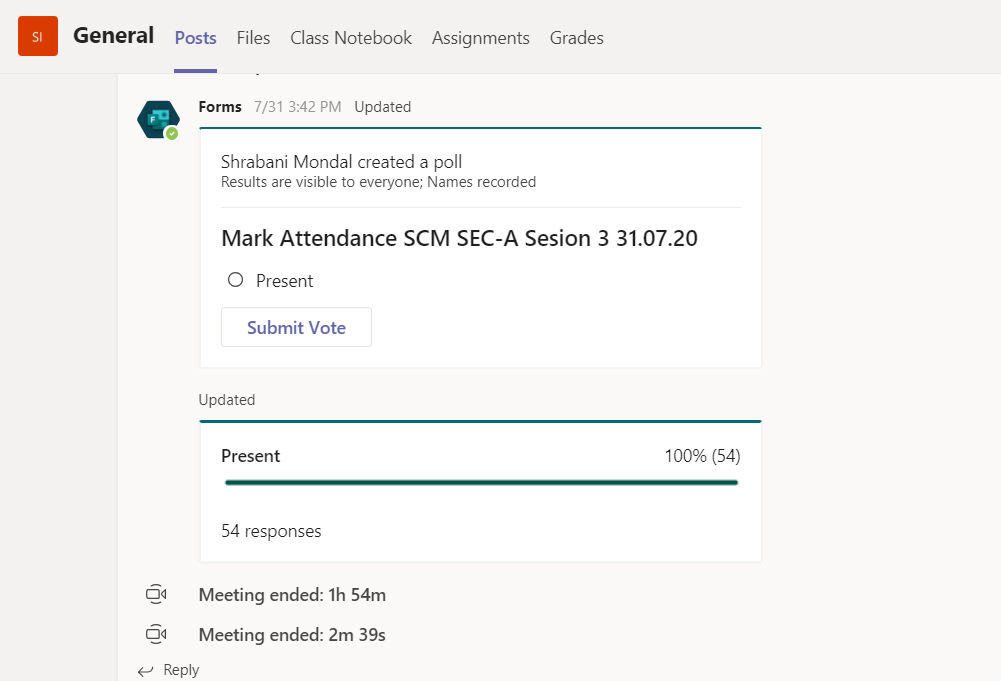
- Attendance polls: The admin can create attendance polls and send it across the Teams chat at the end of the class. The students can just select present and submit the attendance. This will make it easier for the school to keep track of the students’ attendance.

With its incredibly straightforward and user-friendly interface, there is no other alternative that even comes close to the Teams’ experience. It creates the best online virtual classes for both the students and the teachers.
Juana Technologies provide Digital Classroom Solution that rides on the Microsoft Teams Platform. With the unmatched experience of Teams comes our best-in-class training and expertise and together we facilitate the best Online Virtual Classes for you and your entire school.
Online education in India has picked up a sudden momentum as the Covid pandemic hit the country. Digital Classroom Solutions have sprung up in plenty, but Microsoft teams has its own glory and prominence, owing to the impeccable features it offers. To make the online learning experience as productive as the traditional classrooms, Teams have a lot of features inbuilt and embedded. One such feature is the whiteboard options available on teams. A class is only productive when the students brainstorm and participate in the classroom and a whiteboard is must to facilitate those meaningful discussions. Here, we will list down the different whiteboard options that are available on teams.

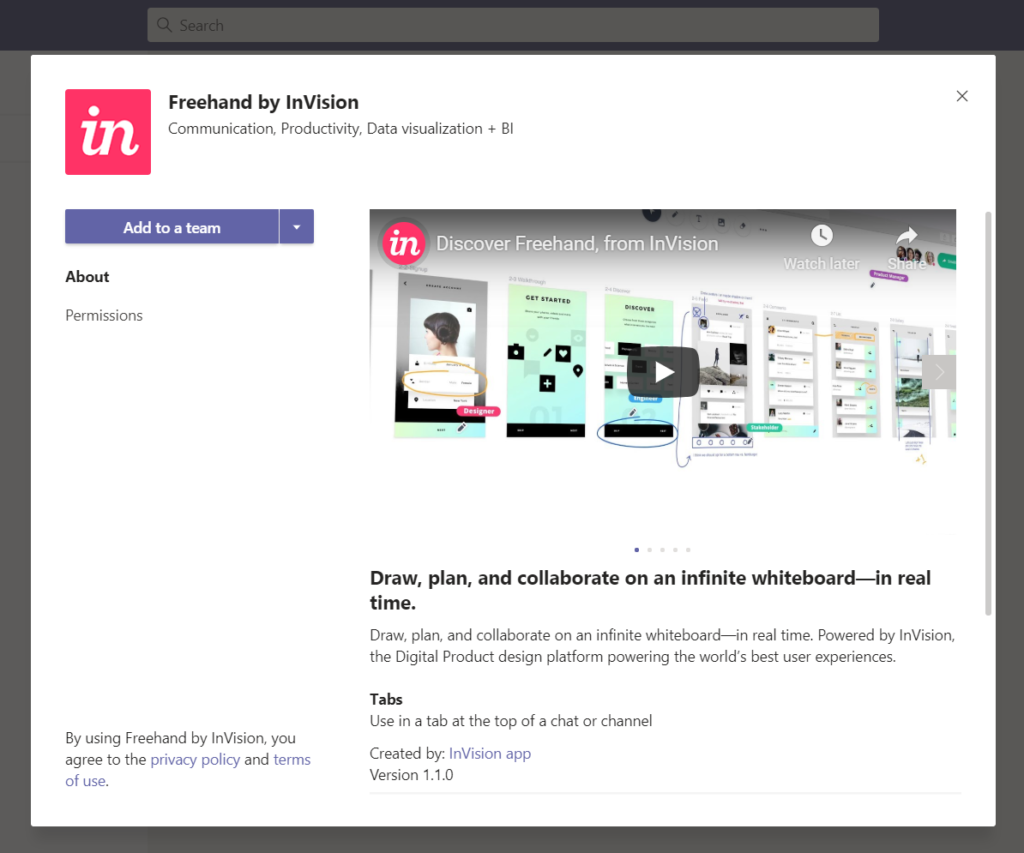
Quick Whiteboard: All of us must have used a marker in our classrooms to write on the whiteboard. Freehand by InVision is exactly that whiteboard and marker experience, except that it is virtually available on teams. Teachers can present an idea and students can contribute to the idea by using the Freehand application. It helps in quick and refined ideas with simple shape selection, alignment, and coloring tools. Since Freehand is available in real-time, multiple team members can write and draw simultaneously. So, even though you are far apart, you can contribute together on Freehand.

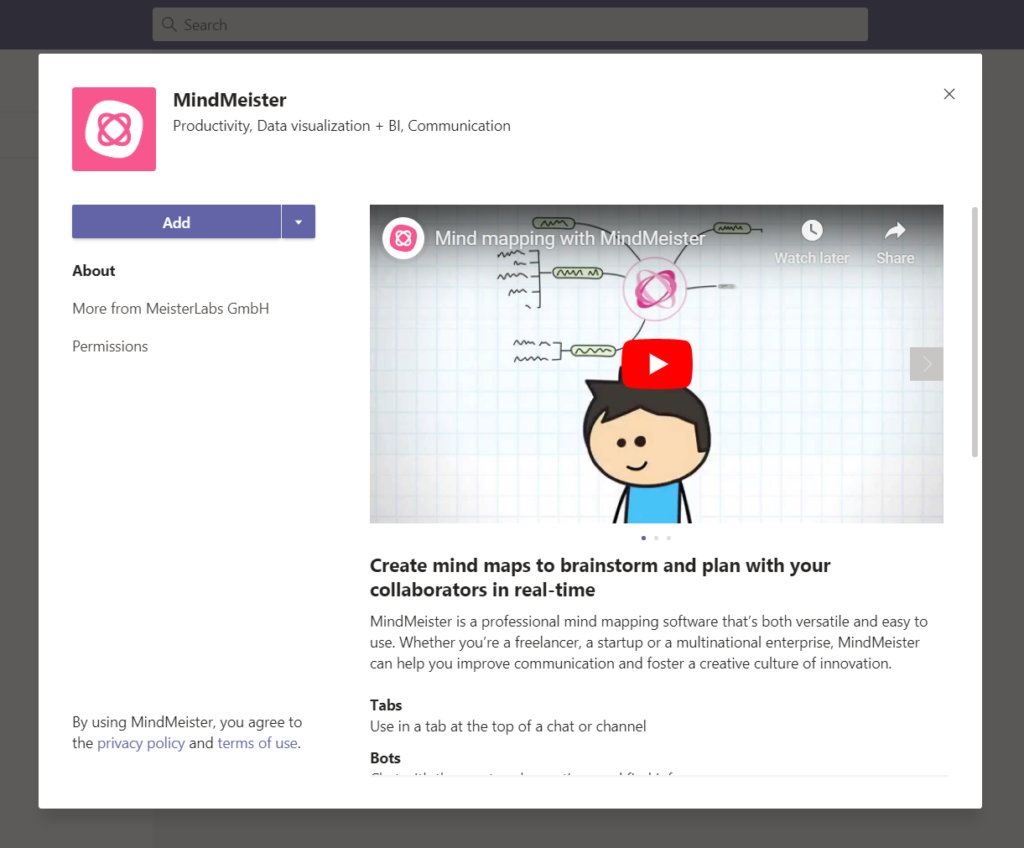
Mindmeister: This one is not your ordinary whiteboard, instead, Mindmeister is built to organize your thoughts! The idea behind Mindmeister is simply designing networks. It provides a way to quickly create mind maps, hierarchies of ideas, interconnected diagrams, etc – all on one canvas. So, using MindMeister, you can break your entire topic into blocks of ideas/topics and present it neatly. It comes very handy to teachers when they teach a topic comprising of multiple concepts. It can be used natively within the Microsoft teams through its app.

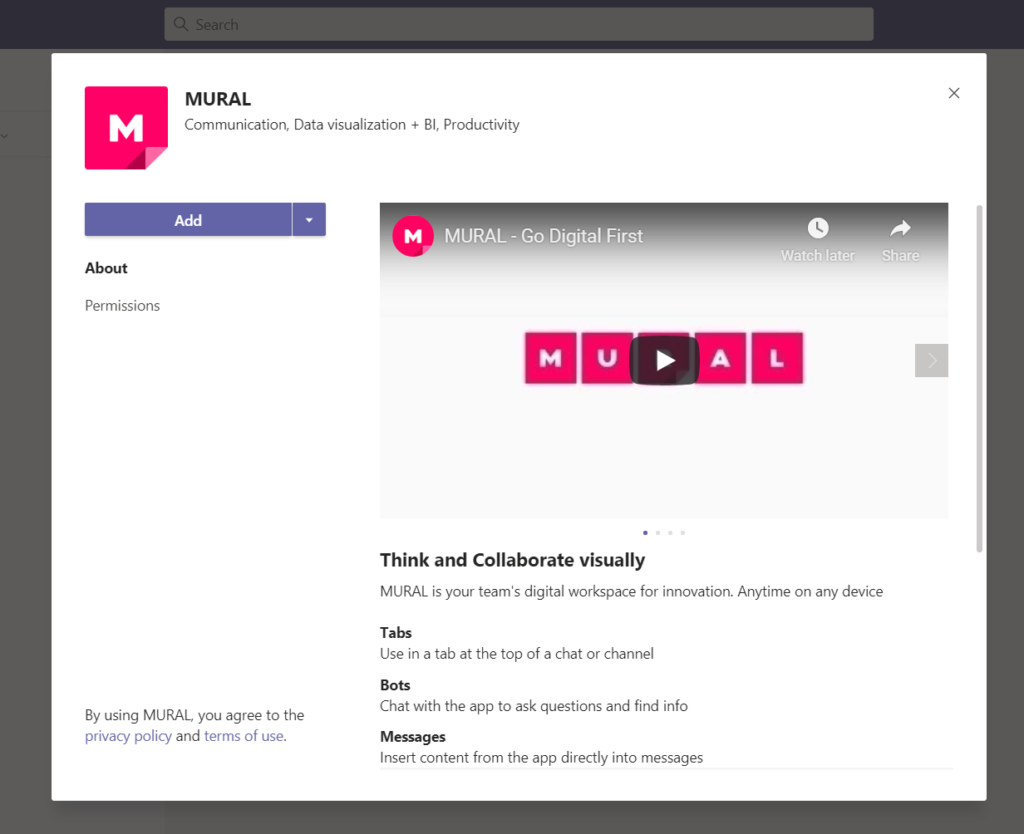
Mural: Imagine your study table or notice board filled with “post-its” or “sticky notes”. All the important things and reminders are written bright and bold on these tiny leaflets and your life is well on track! Mural is just an online version of your regular sticky notes- collaborated in one place. You can put your digital sticky notes, drawings, and diagrams on a Mural whiteboard. Murals appear alongside your team’s conversations and files. Both the new murals and the existing ones are shown on the Teams workspace as a Tab. Moreover, Murals enable seamless collaboration – that is, you can contribute and edit directly on the Channel.

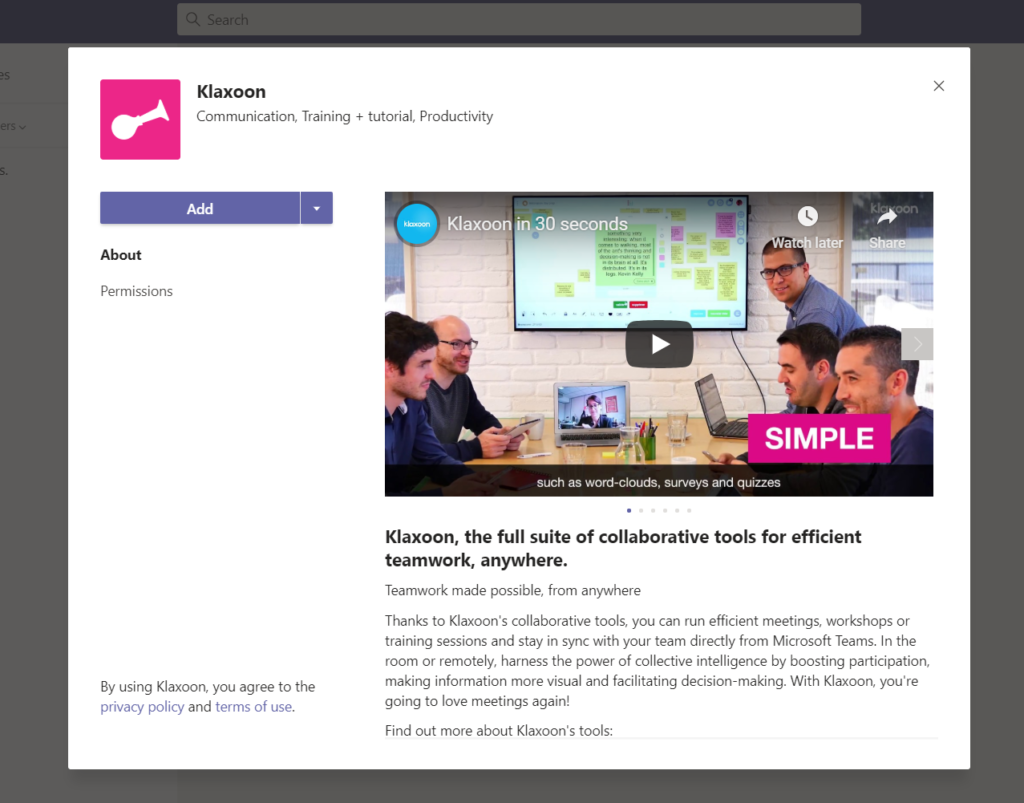
Klaxoon: A class needs to be interactive to reap some fruitful results. Klaxoon is your one stop solution to make everything more engaging and efficient. This includes classrooms, presentations, assignments, reviews, workshops, and everything else that a school can host. The Klaxoon space allows you to add and connect text, images, drawing, and media in addition to word clouds, live polls, and visualizations – everything in one collaborative space. In essence, all your ideas can become flexible notes that can be floated within the Klaxoon space. Besides, Klaxoon offers templates so that users get familiar with the interface easily.

While all the features that teams offer are simply amazing, it can get a bit overwhelming to get familiar with all of them and make their best possible use. Therefore, Juana Technologies provides all-round training and support for schools and teachers. Our expert trains the school teachers so that they feel very comfortable with the teams platform. With Juana Technologies as your Virtual Classroom partner, you just have to login and get the class going!
Microsoft teams has a gamut of features and not all of them are visible on screen. Here, we have combined some of the best tips and tricks for Microsoft time. Once you’ve read this piece, you’ll definitely be saving a lot of time and efforts in your teams’ experience.
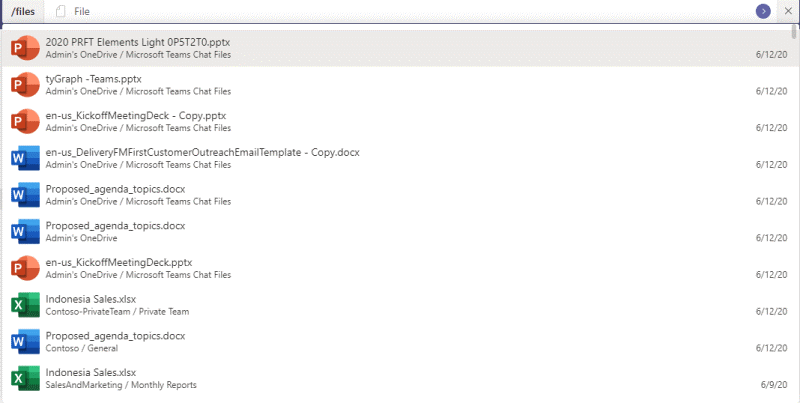
The search bar: Teams has a search bar on top of the application, where you can type commands to perform some common tasks in team. For instance, on typing /file in the search bar, you’ll be able to see the recent filesused on team. Similarly typing /help in the search bar will show help topics, training and news in the Microsoft teams. You can find the complete list of commands in this link.

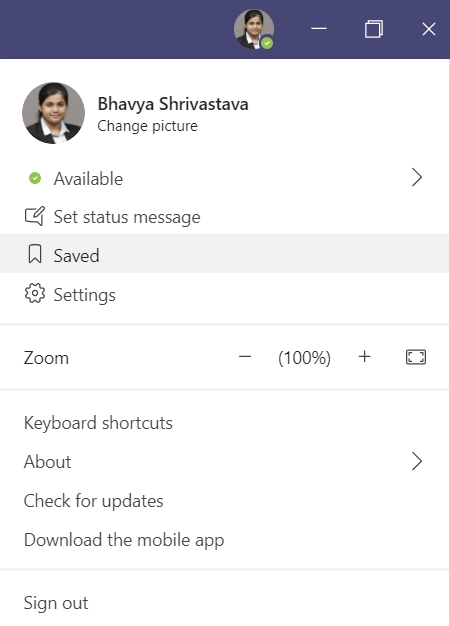
Saving Important messages: Did the teacher tell something related to exams on chat and you want to revisit it later? Now you can save your important messages and come back later to read them! All you need to do is, go to the top of the message that you wish to save and then select ‘More Options’ > ‘Save this message’ and voila! The message gets saved and you may access it later by clicking your profile picture displayed on the upper right-hand corner and then select Saved.

Pin Important things: At times there are important stuff like assignments and syllabus that you may need to visit every now and then. You can always choose to either pin a channel or a chat.
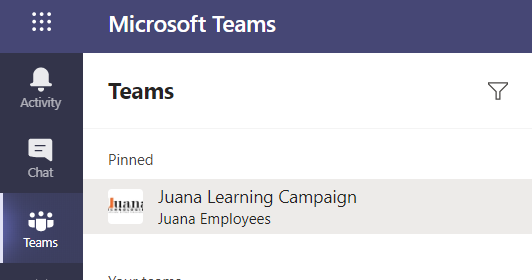
To pin a channel, go to the ‘Teams’ icon on the left side of your application and find the channel within the team that needs to be pinned. Then, click on the ellipses (…) and select Pin. Now, this channel will always appear on top, indicating that is has been pinned.

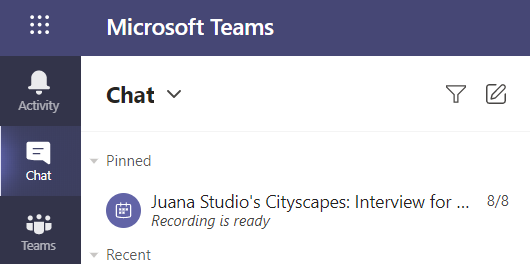
In order to pin a chat, go to the ‘Chat’ icon, located above the teams icon and select the chat you wish to pin. Thereafter, click on the ellipses (…) and click pin. Now, the pinned chat will always show on the top.

Adding tabs: Are you someone who likes to keep his data organised and you need to access apps like Excel/word/OneNote, etc every now and then? Now you can add all these apps and many more on teams!
There are 4 places you can go to, so as to add apps in Teams:
- Left side of teams
- Tab in a chat
- Tab in a channel
- The messaging area

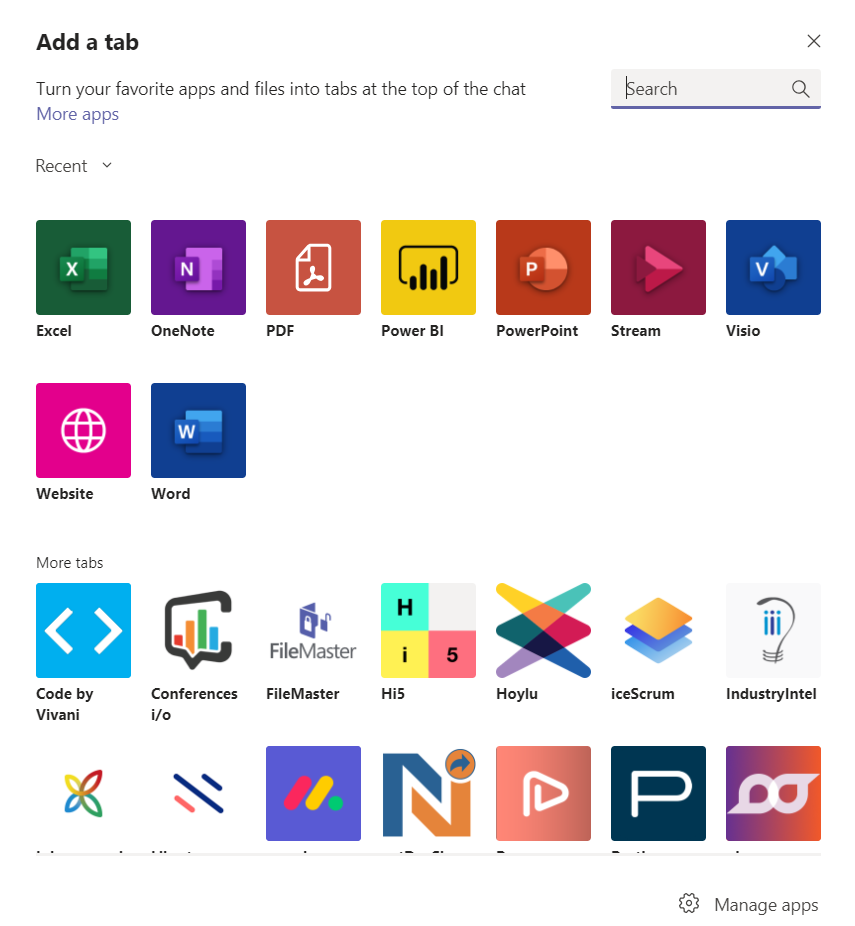
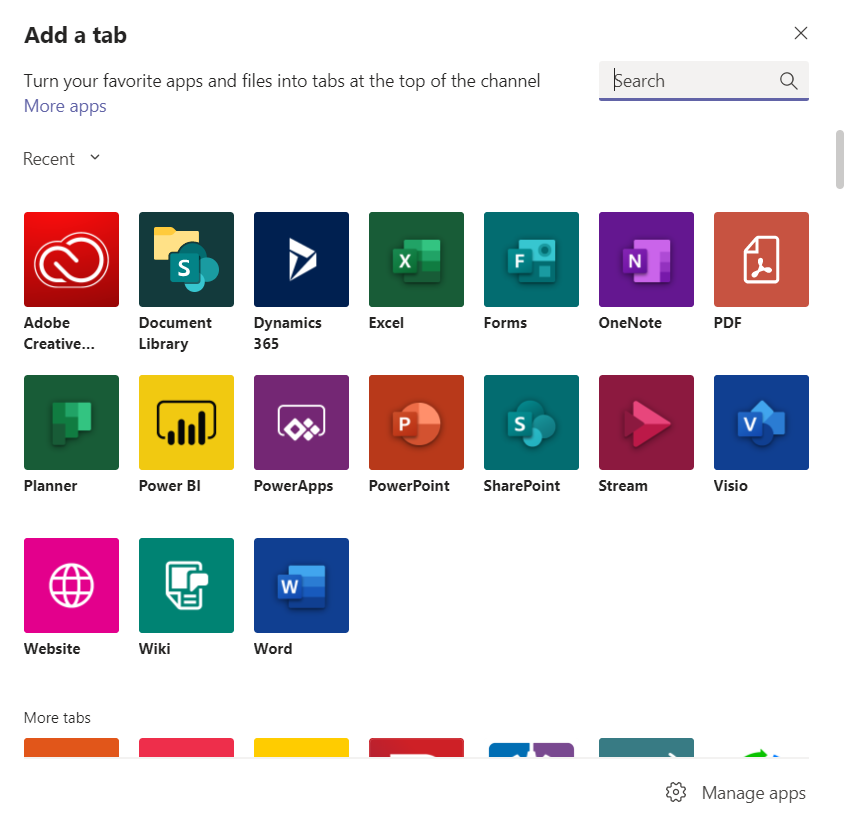
In order to add apps in a chat, you can simply navigate to the group chat or the one-on-one chat you wish to add an app to, and click on ‘Add a tab+’ option.

Once you have selected this, you will be shown a screen with the list of apps to choose from. All you need to do is selecting the app that you need and you’re good to go!

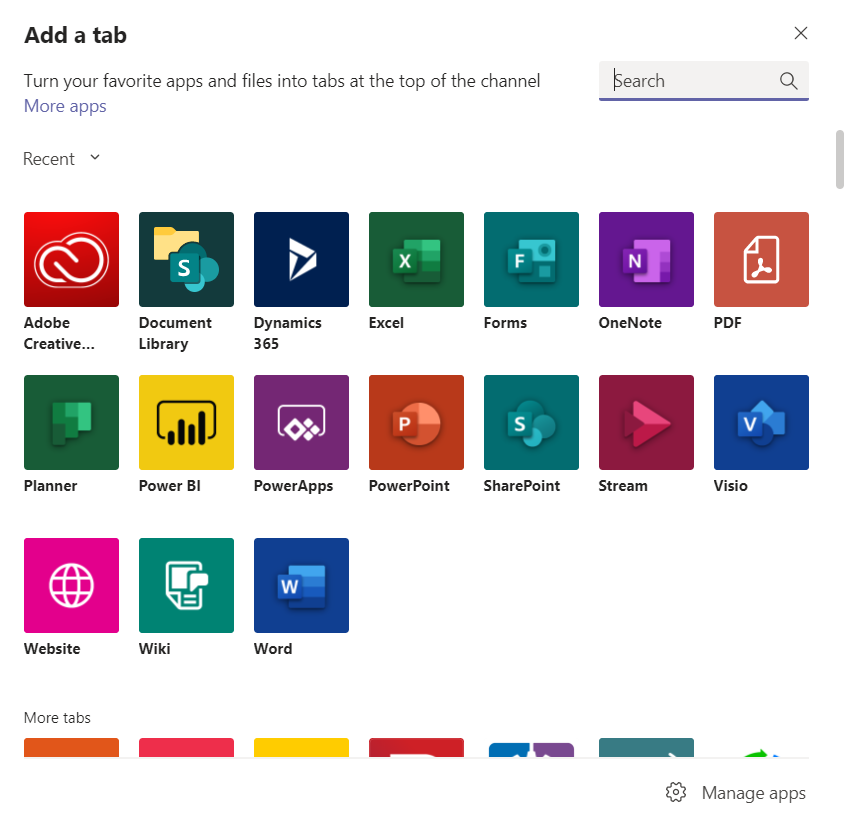
If you wish to add app notifications on a channel, you can do so by going to the channel and clicking on ‘Add a tab+’ option.

Much like adding an app on chat, you’ll be shown a list of apps to choose from. Click on the app that you need and you’re all set.

There are some apps that will let you insert the content from the app directly into a Teams message. To try these apps, you can simply click on the ellipses (…) at the bottom on your message box and choose the desired app.
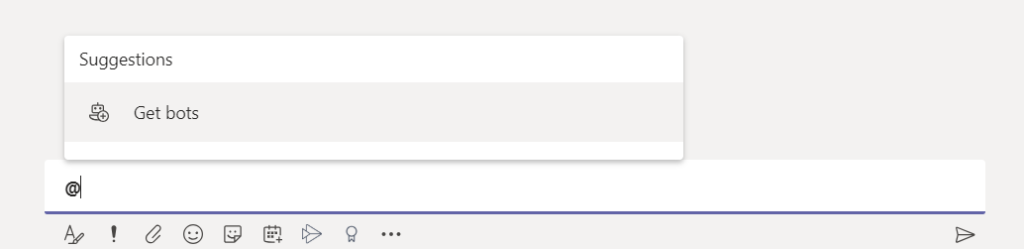
Moreover, you can get apps by typing ‘@’ and selecting ‘Get Bots’


Bots come handy in sharing information from an app, providing updates, answers and lot more.
You can refer to this link for more help on adding apps on teams.
Schools contribute to good 15 years of our life and they shape us in our formative years. The sole purpose of school is learning and for learning to be wholesome, it needs to extend beyond Classroom Education.

School is where children get to communicate with their peers, learn from others and make their own decisions. It is where children develop skills and later, hone them. A lot that we learn in school comes from what we do beyond our classroom and this can certainly include activities like singing, dancing, quizzing, painting, debates and speeches, sports, etc.!
While all of you might be reminiscing your good old school days by now, it is a no-brainer that we have to shift to Virtual Classroom solutions, at least partially, so as to survive these tough times. However, a Digital Classroom Solution doesn’t necessarily mean that you’ll miss the fun and learn part of your schooling! The online experience might be new and different but it sure can be as fun and competitive as it should be.
What kind of activities can be conducted online?
Most of the club activities can be conducted online – on the spot drawing competition, extempore, debates, quizzes and a lot more! Besides, other competitions like dancing, art and craft can be conducted by asking students to submit their entries. It is highly imperative that the young school children let their creative juices flow and club activities make sure of that.
Who will be the stakeholders and evaluators?
Live events like extempore and quizzing will require preparations beforehand on the part of organizing students and teachers, however, the efforts will definitely be worth it. When it comes to recorded submissions, the evaluation committee which mostly involve teachers will need to put in their efforts. While these activities prove to be refreshments for the student, they also facilitate new learnings for them. For instance, if the theme of a writing competition is “The impact of Covid-19 on the steel industry”, the students will end up learning a thing or two about the topic. Therefore, the extra efforts are reaped in the form of extra learning by the students!
The schools shall definitely arrange for more of such club activities for students. The innovative lot will come up with some brilliant ideas and submissions which can later be used by the school in its exhibitions and school magazines. Moreover, these activities keep the students engaged with the school and certainly boost their morale! Therefore, while Virtual Classrooms shall run at their pace, the club activities shall also make their stride.
Juana Virtual Classroom understands how club activities are integral to schools, therefore, we have devised our solutions in such a way that they can be efficiently used for all your club activity needs. Therefore, Juana Virtual Classroom is where the fun begins – ONLINE!
While the concept of Virtual Classroom has existed for some years now, it has only become a necessity in the current pandemic situation. As students who have spent all their formative years in a physical classroom, the transition to a virtual set up can prove to be very challenging. However, these times call for us to bring about some changes in our studying and learning habits, so as to succeed in the virtual environment.

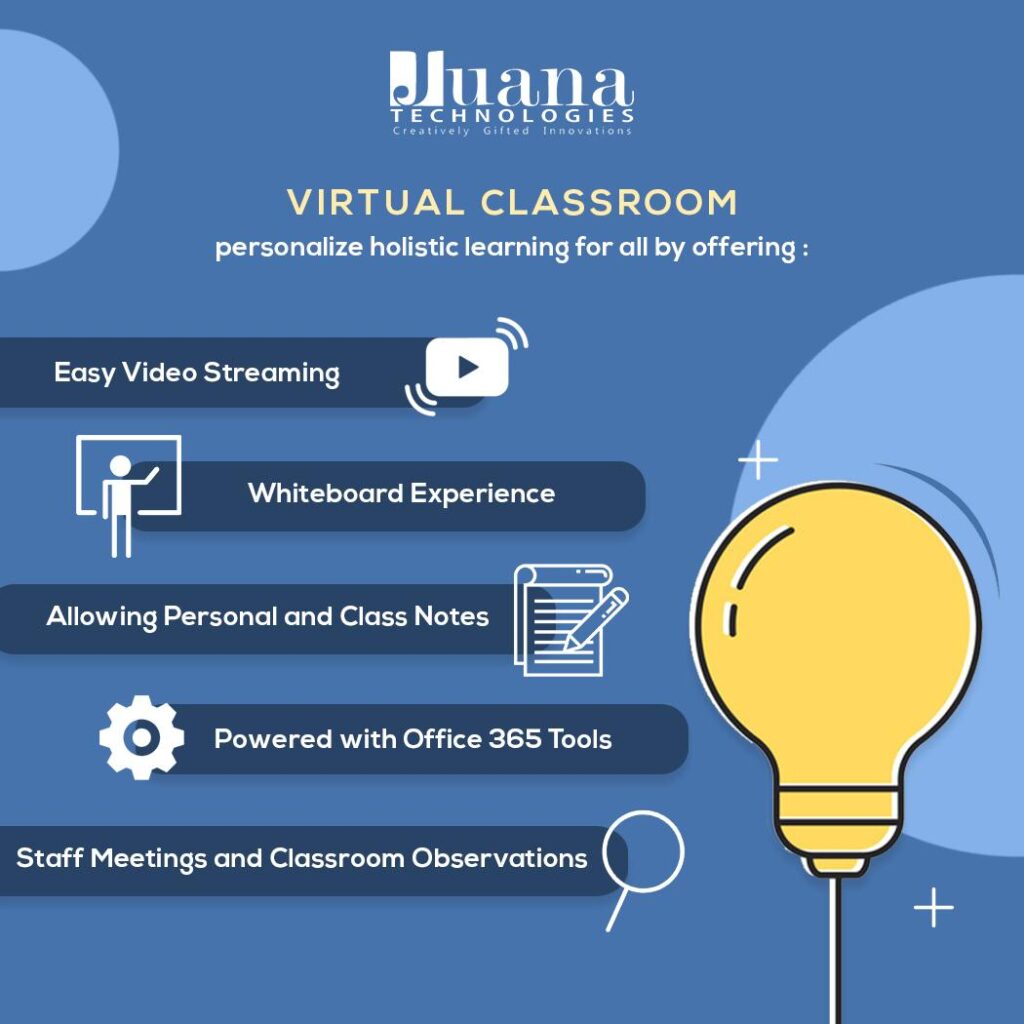
Education shapes the future and today’s students are tomorrow’s leaders. Juana Technologies firmly supports schools and their students in these tough times and has also brought to you JuanaTech’s Virtual Classroom – one stop solution for all your learning and teaching needs. The vision of Juana Technologies, along with the trust of Microsoft, has crafted Juana Tech’s Virtual Classroom.Mounted on Microsoft Teams, the Virtual Classroom solution gives access to various life-changing Office 365 tools including Teams, OneNote, SharePoint among many others. Our Virtual Classroom solution works on the principle of ‘One hub – everyone connected’, i.e. we provide a centralized hub for all your schooling activities. Solving equations, noting down solutions, marking important topics, assignment submissions, grading and even club activities can be done with our Virtual Classroom Solution!
We at Juana Tech, want you to make the maximum use of your time and resources. Therefore, to deliver you the all the ease and comfort that you deserve, our experts provide training sessions for the teachers. Just like a normal classroom, the teachers can have all the facilities at their disposal through our Online Education software/solution. Students will be able to enjoy the perks of holistic learning, once again by learning and collaborating with fellow students and teachers. Even staff meetings can be hosted through our digital classroom solution, so that they may collaborate for discussing teaching content, assessment questions and exercises.
The comfort of home can certainly not provide the discipline and environment of a classroom; however, we still can learn and perform the way we used to; or maybe even better! Here are some tips for you to increase your productivity and efficiency in your Online Education and training. (specially curated for school students)
- Position that keeps you alert: Regardless of how tempted you may feel to attend your classes in bed, you should choose a position and locations that helps you stay alert and attentive throughout the class. Ideally you should sit on a chair that helps you maintain an upright position. The right posture saves your back and shoulders, besides keeping you wide awake.
- No distraction mode ON: Put all your notifications on silent! A traditional classroom doesn’t allow the usage of mobile or any kind of distraction. The same shall be applicable for the Virtual Classroom as well. Whether in class or studying, impose a limit on your distractions and stay focused on learning.
- Set a goal: Attending a class is only half the battle. Reading and revising the class should be a daily habit so as to keep up with the pace of classroom. Set a daily goal and also weekly goals for yourself. You can also use a planner/scheduler and set reminders and alarms to assist you in achieving your goals.
- Take handwritten notes: Even though a Digital Classroom Solution gives you the liberty of taking notes on the computer itself, it is highly recommended that you take handwritten notes! All our school life, we are trained to write down our notes and we are better accustomed with that. Furthermore, research shows that writing, instead of typing, helps you remember the information better! Use abbreviations and short phrases to maintain your pace.
- Motivation is the key: Learning with Virtual Classroom Solutions can prove to be taxing at times; however, you have to find what motivates you and keep going! Remember, each class you take will help you achieve your goals in the longer run. Prepare yourself well before each class, quiz, assignment, presentation, activity, etc so that you’re fully attentive and interested in the classroom.

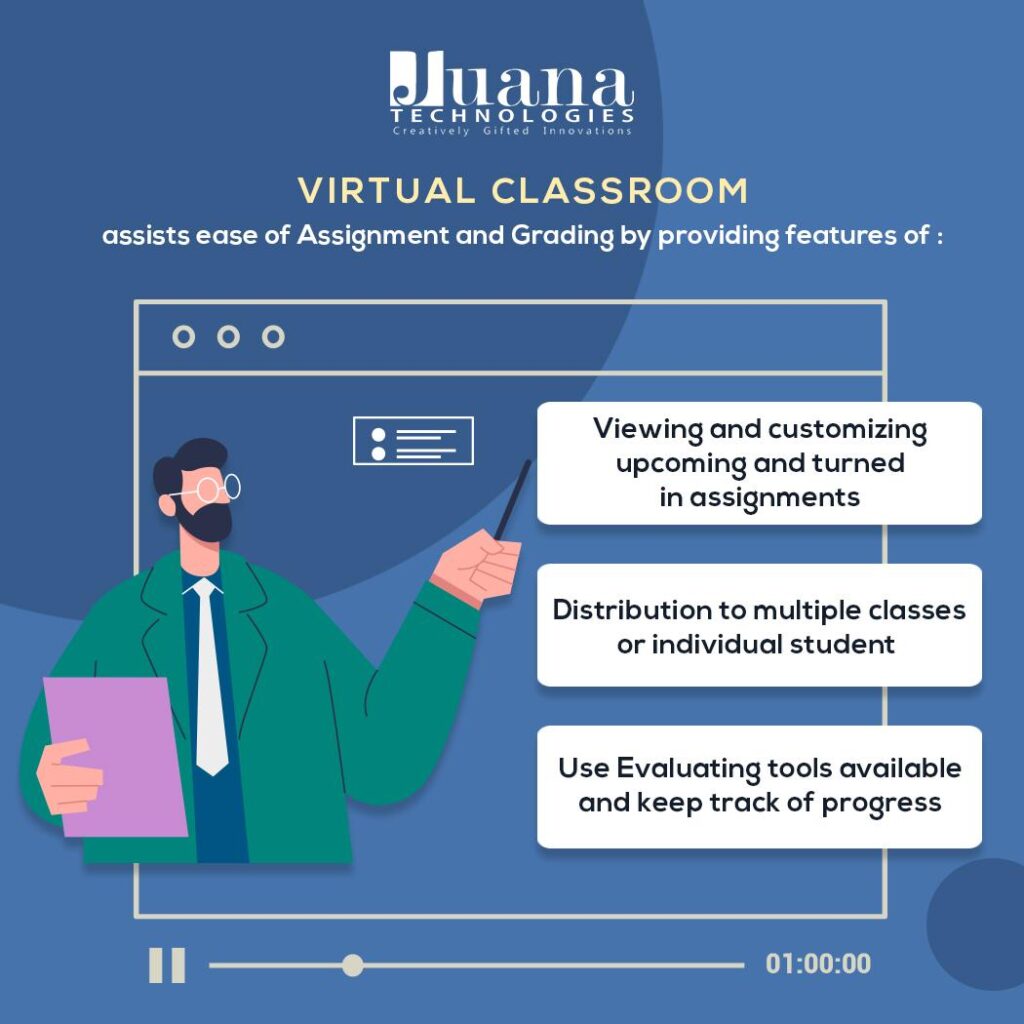
Juana Virtual Classroom has been carefully crafted for all your learning needs; assignments, assessments, gradings, quizzes – everything at one place. Online education in India is going through major changes and we are making sure that our students and teachers can sail through smoothly in these tough times.
The entire world is going through testing times and all of us have suffered individually at some point or other. The pandemic caught us unprepared, but the human penchant to survive overpowers everything.
Education shapes the future and today’s students are tomorrow’s leaders. Juana Tech firmly supports schools and their students in these tough times and has also brought to you JuanaTech’s Virtual Classroom – a one-stop solution for all your learning and teaching needs.

The vision of Juana Technologies, along with the trust of Microsoft, has crafted Juana Tech’s Virtual Classroom. Mounted on Microsoft Teams, the Virtual Classroom solution gives access to various life-changing Office 365 tools including Teams, OneNote, SharePoint among many others. Our Virtual Classroom solution works on the principle of ‘One hub – everyone connected’, i.e. we provide a centralized hub for all your schooling activities. Solving equations, noting down solutions, marking important topics, assignment submissions, grading, and even club activities can be done with our Virtual Classroom Solution!
We at Juana Tech, want you to make the maximum use of your time and resources. Therefore, to deliver you all the ease and comfort that you deserve, our experts provide training sessions for the teachers. Just like a normal classroom, the teachers can have all the facilities at their disposal through our Online Education software/solution. Students will be able to enjoy the perks of holistic learning, once again by learning and collaborating with fellow students and teachers. Even staff meetings can be hosted through our Digital classroom solution, so that they may collaborate for discussing teaching content, assessment questions and exercises.
All work and no play, makes Jack a dull boy. Indeed, school going online should not mean that it is only about classroom, assignments and exams. The learnings through fun and participation shall not cease either. Therefore, our Virtual Classroom solutions assures that all the club activities keep running too. Organize your quizzes, debates, elocution, singing, dancing, painting competitions online and let the fun never stop! The schools get to do all this, along with year-long technical support from our experts.
Best part? All of this & more at less than Rs. 99 per day!
To know more, click here.
While the anxiety of the lock-down and the pandemic has been peaking this month, all of us took a break for peace as the International Day of Yoga arrived. Schools too, took a break from the ever-lasting pressure of curriculum, syllabus, classes and exams – and took a deep breath to relax. Entries for this month, thus, were full of stories of how creatively and remotely students, teachers and parents observed this day – practicing yoga. Besides, we see a lot of initiatives around emotional and psychological well-being, schools have also increased the potion of creativity in learning by adding some very stimulating webinars and competitions in their schedules. Overall, it has been a month of introspection and anticipation. Hoping for better day, let’s keep striving for brilliance!


Recent Comments